Integration with Home Assistant via MQTT
The MQTT protocol can be used to make uni-gtw talk to Home Assistant (and other home automation software) over the local network. Commands can be sent to paired blinds, and their status is reported back to HA. If the blinds support it obstruction status is also reported.
Step 0: Install a MQTT broker
If you already have some other smart home devices in your home, chances are you already have a MQTT broker, so you can skip this step. If not then see the official Home Assistant documentation for MQTT.
Step 1: Obtain MQTT credentials for uni-gtw
Create a user and a password for the gateway. In Home Assistant you can do that in the configuration tab of the Mosquitto broker addon (Settings -> Apps -> Mosquitto broker -> Configuration).
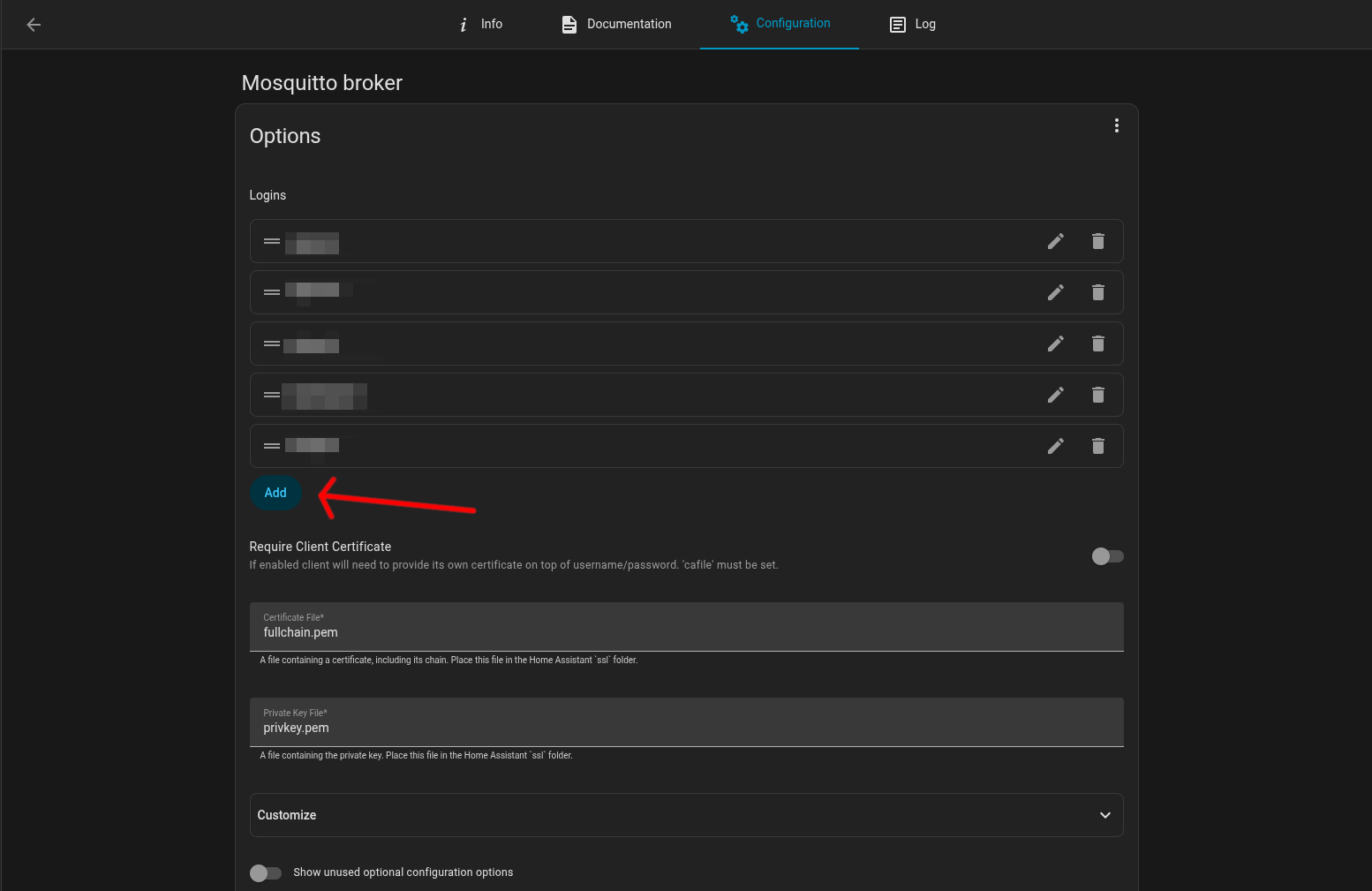
Under logins click add, and choose a username and strong password for uni-gtw. Then save the config and restart the mosquittto app.
Step 2: Enter the credentials in the uni-gtw settings
Navigate to the gateways web interface and go to the settings tab. Under Network -> MQTT check "Enable MQTT" and enter the broker's IP and port in the format (mqtt://<IP>:<port>, port is optional, 1883 is used if omitted). Then enter the username and password from the previous step. Save the settings
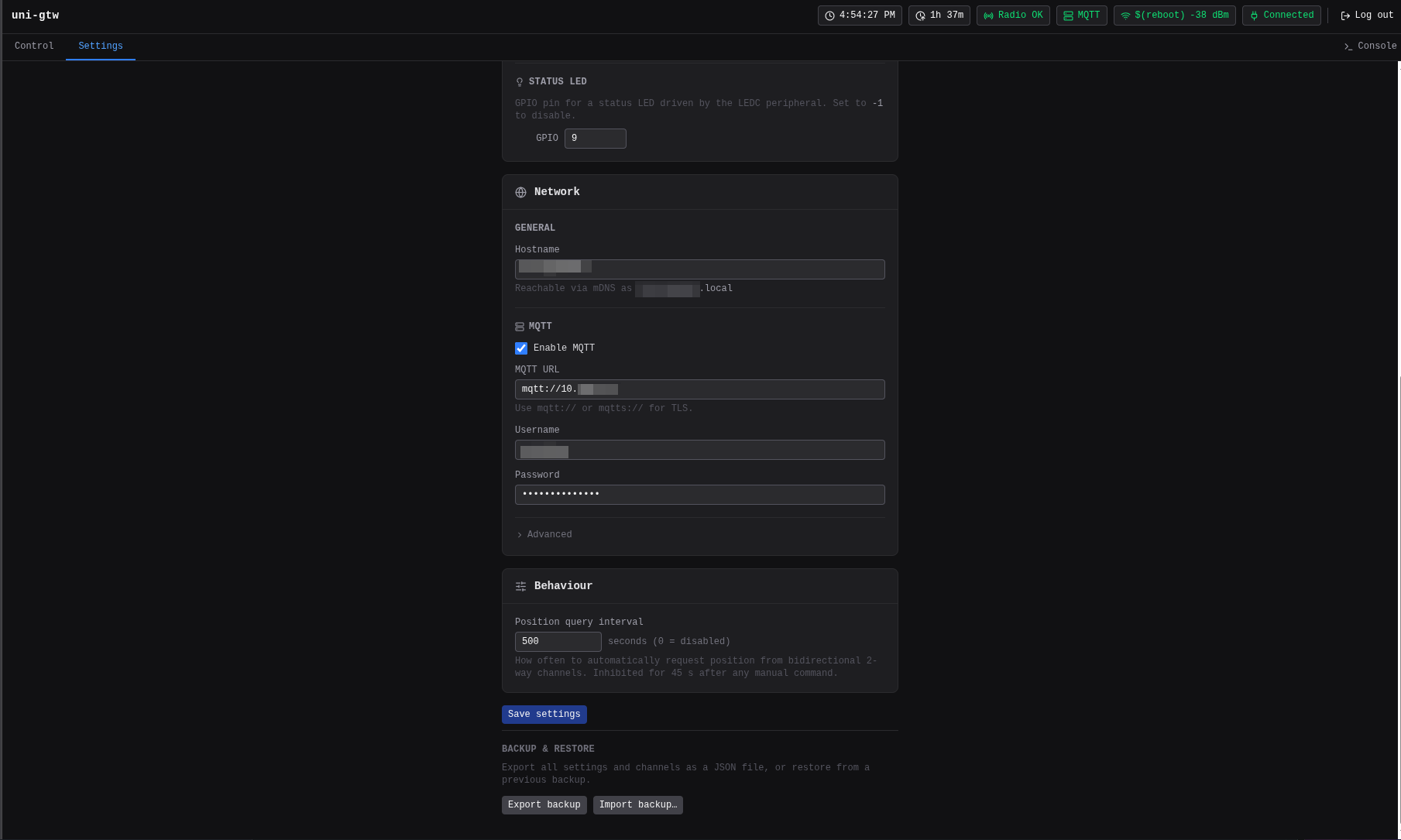
After that the MQTT indicator in the top bar should change color to green if the connection was successful.
Step 3: Verify in Home Assistant
If you already configured some channels in the gateway they should appear in homeassistant.
They should look like this:
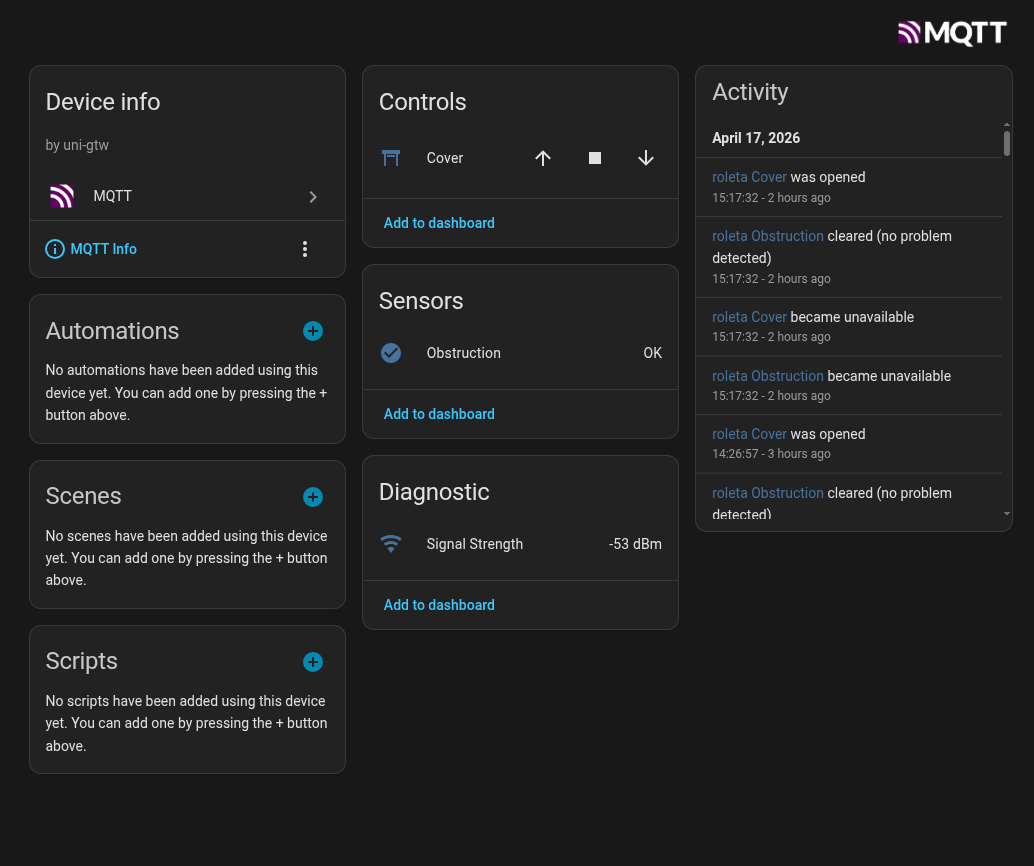
You can now add the devices to your automations and dashboards.